
.webp?width=296&height=131&name=arbutus_AI-Powered-Advanced-Analytics%20(1).webp)
Who ConnectPlus Is Designed For?
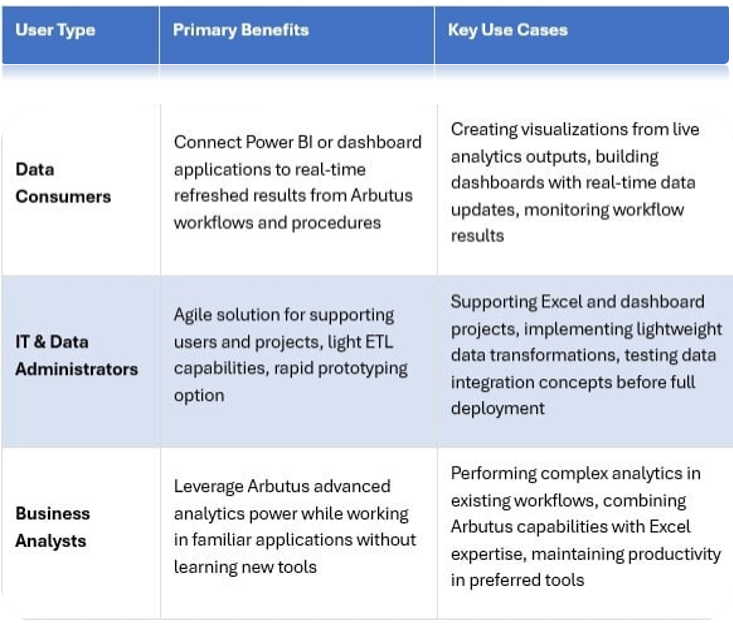
ConnectPlus serves three distinct user groups, each with unique needs.
Data consumers who work with Power BI or other dashboard applications can connect their visualizations to real-time refreshed results produced by Arbutus analytics workflows and procedures.
IT and data administrators benefit from an agile solution for supporting users and projects involving Excel and dashboards, with ConnectPlus also serving as a light ETL or prototyping option.
Business analysts can leverage the power of Arbutus advanced analytics while continuing to work in the applications they know best, eliminating the need to learn new tools.
Why Organizations Choose ConnectPlus
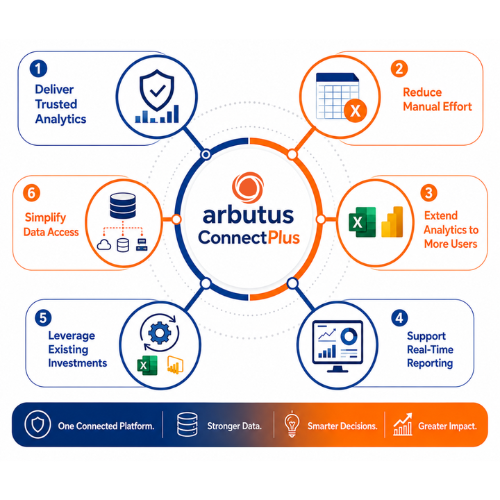
Deliver Trusted Analytics - Provide business users with governed, analytics ready data prepared through Arbutus workflows and procedures.
Reduce Manual Effort - Eliminate repetitive spreadsheet preparation, reconciliation, and manual data manipulation.
Extend Analytics to More Users - Allow Excel and Power BI users to benefit from advanced analytics without needing to learn a new platform.
Support Real-Time Reporting - Enable dashboards and spreadsheets to connect to refreshed results generated by Arbutus analytics workflows.
Leverage Existing Investments - Continue using familiar tools such as Excel and Power BI while strengthening analytics and data quality.
Simplify Data Access - Connect disparate and legacy data sources into a consolidated, trusted analytics environment.
How ConnectPlus Works: Four Simple Steps
Implementing ConnectPlus follows a straightforward four-step process that gets you up and running quickly
-
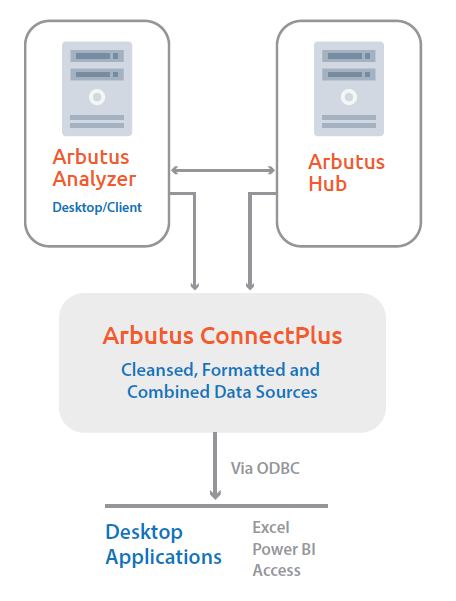
Prepare Data with Arbutus
Use Arbutus to access, cleanse, combine, and analyze data from multiple sources. -
Connect to Analytics Projects
Map ConnectPlus to Arbutus projects and datasets. -
Deliver Data into Business Tools
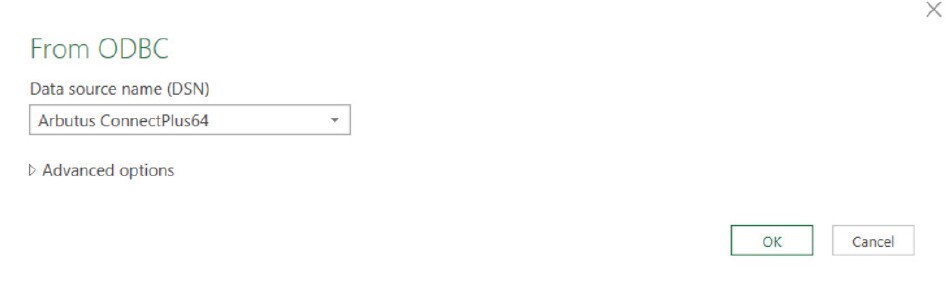
Provide analytics-ready data directly (via ODBC) into:
» Excel
» Power BI
» Access
» Other ODBC-compatible applications -
Refresh & Reuse
Users continue working within familiar applications while benefiting from refreshed analytics outputs and governed data delivery.
This streamlined workflow enables rapid deployment and minimizes the time from installation to productive use. The refresh functionality ensures that updates made in Arbutus are automatically reflected in connected applications, maintaining data currency without manual intervention.
Try ConnectPlus - Download the UserGuide
Technical Capabilities and Configuration
ConnectPlus provides robust technical capabilities through ODBC connectivity, offering flexibility in deployment and configuration. The solution supports both 32-bit and 64-bit ODBC Data Source Administrator environments, ensuring compatibility across diverse system architectures.
Computed fields created in Arbutus tables are automatically made available when loading data into core applications, preserving analytical logic and calculations. Administrators can control field visibility by excluding specific fields from being loaded, maintaining data governance and security requirements.
The system supports auto-running procedures and workflows that automatically execute when tables are opened via ConnectPlus, enabling dynamic data refresh and regeneration before loading into applications. While ConnectPlus references one project at a time by default, organizations can establish separate instances of the ConnectPlus driver to access multiple Arbutus projects simultaneously, each pointed at unique project files.